
Published: October 24, 2026 Details may change as Apple and owners share more information.
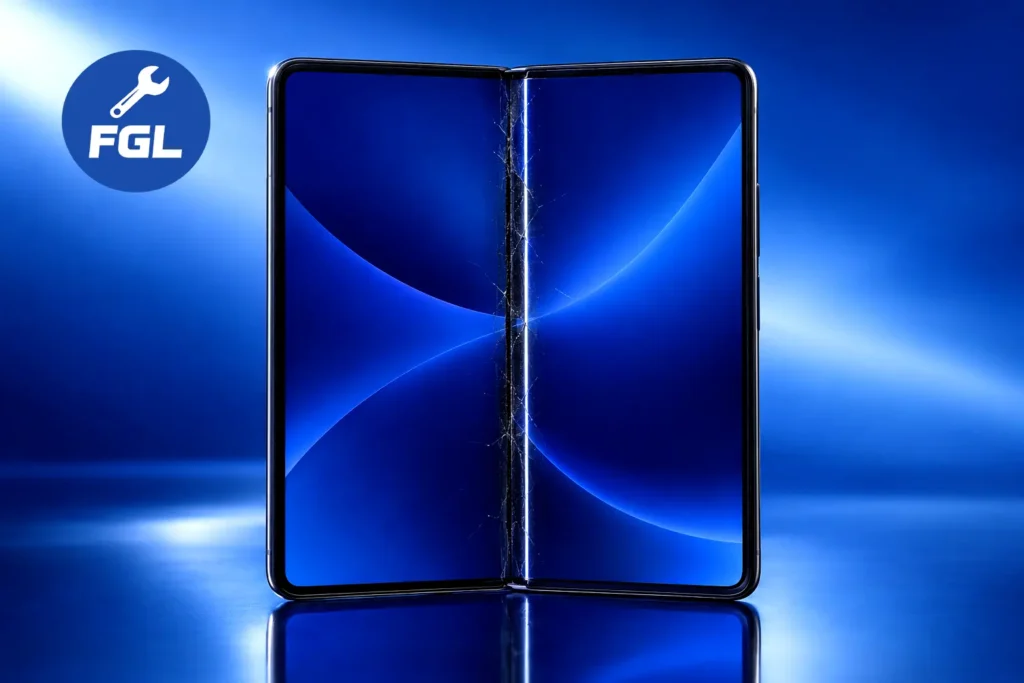
If you have just noticed a crack, a crease, or a bright line near the hinge of your new $1,999 iPhone Duo, the so-called iPhone Duo crackgate, you are probably asking two things: what does this mean, and what should I do now?
A small number of early owners have reported similar damage to the inner screen, including iPhone Duo crease complaints, since the phone went on sale on October 23, 2026. The best-documented case is an owner in Australia, and photos of damaged demo units in China have also appeared. Apple has not confirmed a widespread defect, and the cause is still unknown, so no one can yet say how common this is.
This guide explains how to protect the phone right away, how to get Apple service and what Apple lists as estimated repair costs, and what the available reports on the iPhone Duo crackgate and iPhone Duo crease do and do not show.
Quick Fix
If your inner screen is cracked or shows a bright line near the hinge:
- Stop opening and closing the phone. Use the outer screen if it still works.
- Take clear photos and a short video of the damage.
- Back up your data through the outer screen, only if the phone works normally.
- Contact Apple Support or visit an Apple Store as soon as you can.
A cracked screen cannot be fixed with a restart, a reset, or a software update. It needs service from Apple.
iPhone Duo Screen Cracked While Opening? Take These Steps First
Document the damage properly. Photograph the inner screen in good light, both sides of the hinge, and every corner of the frame. Note the date, the time, and what you were doing when it happened. This helps if Apple needs to review your case.
Leave the screen alone. Do not press on the crack to test it, and do not try to peel or lift any layer. Apple lists the cover layer above the inner screen as a service item, so removing it is a job for Apple.
Back up with care. If the phone still works normally, use the outer screen to save your photos and files before you hand the phone over.
Get service quickly. Book an Apple Store visit or contact Apple Support. Say how new the phone is and describe what happened in plain words.
How to Recognize Hinge-Related Inner Display Damage
Not every mark on a foldable screen is a crack. Owners who reported damage have described a few clear signs:
- A bright or white line of pixels, usually on one side of the inner screen
- A visible crack that follows the center fold
- An audible crack or pop while opening the phone
- A hinge that suddenly feels tight, or a bump you can feel under the display
According to MacRumors, most photos shared by owners show damage almost entirely along the hinge. That is the pattern people are talking about.
Apple’s own hinge page lists other warning signs worth knowing. These include a phone that will not open or close fully, unexpected noise while moving the hinge, a loose hinge, and enclosure damage that affects how the hinge works.
A faint crease down the middle is different from a visible crack or a bright line of pixels. If you notice a sudden change in the screen or hinge, contact Apple Support rather than assuming it is normal wear.
Bright White Lines Across the Foldable Screen: Can You Fix Them?
Short answer: not at home.
When a bright line appears together with a crack, a pop, or pressure at the hinge, it points to hardware damage and not to a software glitch. No setting, app, or update can remove it. Be careful with videos and guides that promise a quick trick.
Apple’s hinge troubleshooting page reportedly states that there are no diagnostics or software remedies for hinge issues. As quoted by other outlets, if its inspection steps do not solve the problem, the listed repair is replacing the inner display assembly.
If a line appears with no crack and no knock to the phone, ask Apple Support to look at it. Do not guess at the cause yourself.
Is It Safe to Keep Folding an iPhone Duo With a Damaged Hinge?
It is better not to. This is common-sense caution, not an official Apple instruction.
A flexible screen bends every time you open or close the phone. With a crack in it, folding again may make the damage worse. If the display looks chipped or has loose pieces, handle it carefully.
Some phones still seem to work after a crack. Treat that as a phone waiting for service, not a phone that is fine. Until your appointment, keep it away from sand, dust, and liquid.
If the hinge ever feels gritty, loose, or unusually tight, stop and have it checked.
Apple Repair or Replacement: What Affected Owners Should Do
The most useful step is to let Apple inspect the phone early. Apple decides how your damage is classified, so the result cannot be predicted in advance.
Here is what the early reports show:
- One verified owner report. An owner in Australia said the screen cracked after about six hours and fewer than 20 openings. According to the owner, an Apple Store replaced the phone immediately. Moderators on the subreddit reviewed photos and Apple paperwork and verified the damaged phone and the replacement, but they could not confirm the cause.
- Warranty. MacRumors expects hinge failures from normal use to fall under Apple’s one-year warranty. That is the outlet’s reading, not an Apple statement. Apple’s standard limited warranty covers manufacturing defects but not accidental damage, so Apple’s inspection decides how each case is handled.
- Repair fees. Apple lists estimated US service fees of $999 for inner display damage without AppleCare+ and $99 with it. The cover layer is listed at $49, or $19 with AppleCare+. The final fee depends on Apple’s inspection and your coverage, and prices differ by country. Authorized service providers may set their own prices.
You can check Apple’s iPhone repair and service page for service options and estimated costs in your region.
If your phone is brand new, ask Apple about your return and exchange options during the visit. If the damage looks accidental, be honest about what happened. Clear photos and a calm explanation help both sides.
Before you agree to a paid repair, ask Apple to explain why it is not covered. It also helps to read Apple’s hinge troubleshooting page first, since it lists the symptoms Apple treats as hinge problems.
Can You Prevent Further Damage to the iPhone Duo Inner Screen?
Nobody knows yet what causes these cracks, so no habit is proven to prevent them. Apple’s hinge troubleshooting steps reportedly include checking whether a case or screen protector is causing a problem. This does not establish that either caused the reported cracks. What you can do is avoid adding risk:
- Leave the factory cover layer in place. Apple lists it as a replaceable part with its own service fee, so replacing it is a job for Apple.
- Ask Apple before adding any film or protector to the inner screen.
- Keep dust, sand, and crumbs away from the hinge, and look across the screen before you close the phone.
- Get the phone checked if the hinge feels tighter, gritty, loose, or noisy.
- Look closely in the first days. The reported failures happened early, and early checking gives you more options.
Also think about coverage. Given the fees above, AppleCare+ makes a very large difference if you ever need an inner screen repair. The plan has its own cost, so compare both numbers.
Why iPhone Duo Screens Are Cracking Along the Hinge — What Reports Actually Show
Right now, the honest answer is that nobody outside Apple knows the cause.
Most reports describe damage in a similar place near the hinge. Commenters have floated ideas such as the display being pinched, loose assembly tolerances, or a faulty hinge part. Those are guesses, not findings.
Some details point in different directions. The Australian owner said there was no visible damage to the screen or the outer hinge beforehand. MacRumors also shared photos of broken demo units in China. Meanwhile, two reviewers ran machine fold tests. Joanna Stern’s rig folded her review unit more than 32,000 times to test the hinge, and a gauge showed it needed slightly more force to open afterward. Tim Pan’s test passed 10,000 folds, and the crease became much more noticeable. Android Authority reported that neither test resulted in a cracked screen. These were unofficial tests, so they cannot show how reliable every phone will be.
So the evidence is mixed. It shows a pattern worth watching. It does not show how common the problem is.
What Is Confirmed About the iPhone Duo Screen-Cracking Reports?
It helps to separate what is known from what is only claimed.
Confirmed or well documented:
- Several owners have posted photos of inner displays cracked near the hinge, as MacRumors reported on launch day
- The damage often appears as a bright line of pixels on one side of the screen
- Apple published its hinge troubleshooting page on October 23, 2026. The page describes hinge checks and repair steps, but its publication alone does not establish whether it was related to the reported screen cracks.
- Apple has listed estimated repair fees for the inner display and its cover layer
Not confirmed:
- Apple has not publicly addressed these specific reports or confirmed a widespread defect
- The cause is unknown, so it cannot be called a design flaw or a manufacturing fault
- The number of affected phones is unclear, and the known cases look small so far
- Apple has not published a statement on how these cases will be handled
If more cases appear in the same spot, the picture may change.
Frequently Asked Questions
Can the cheaper cover layer replacement fix a cracked inner screen?
Not by itself. The cover layer is only the top surface layer, and Apple lists it separately ($49, or $19 with AppleCare+) from inner display damage ($999, or $99 with AppleCare+). A bright line of pixels points to the display underneath, but only Apple can say what is damaged after an inspection.
Should I take it to a local repair shop instead?
Ask Apple first. Damage caused by an unauthorized repair may not be covered by Apple’s warranty. Ask Apple about your coverage before choosing a third-party repair shop. An Apple Authorized Service Provider is different from an ordinary shop, and its fees may differ from Apple’s.
Could my case or a screen protector have caused the crack?
No report we reviewed links a case or protector to the cracks, and the cause is still unknown. Apple’s hinge steps only treat them as a basic check for hinge problems. If you added anything to the inner screen yourself, tell Apple when you book so the inspection starts with the full picture.

- Google Pixel Battery Drain and Overheating: Causes and Fixes - October 25, 2026
- Google Pixel Video Bug: Subject Missing in Saved Recordings - October 25, 2026
- iPhone 18 Pro Earpiece and Speaker Crackling or Popping: Is It Fixable? - October 25, 2026