
Published: September 04, 2026
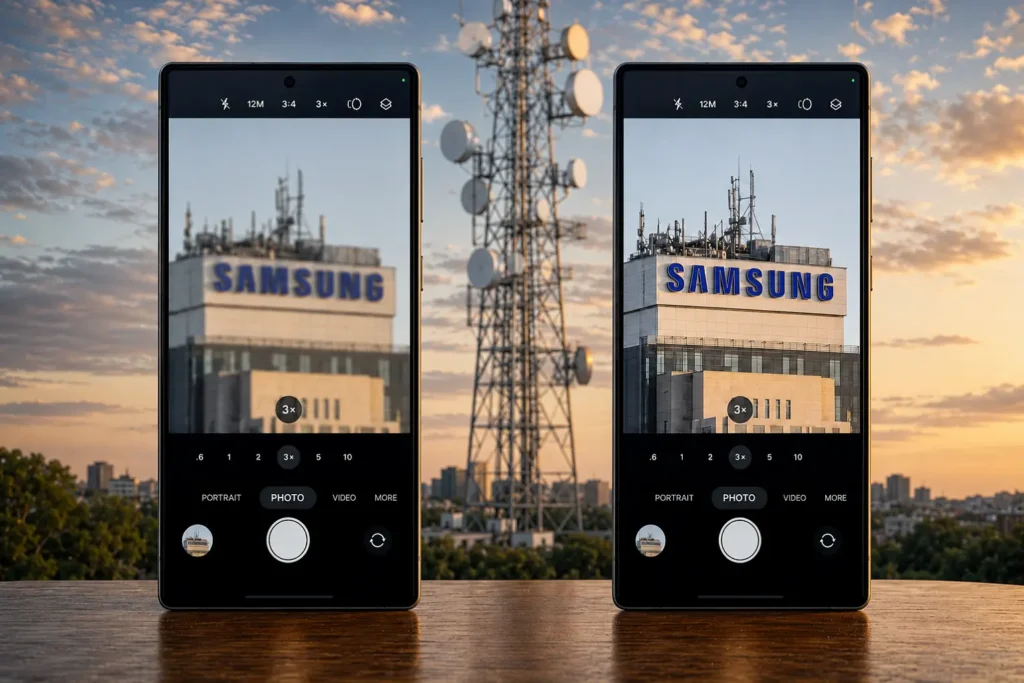
Galaxy S26 Ultra 3x zoom photos can sometimes look soft or blurry, particularly during certain zoom and autofocus operations. Samsung has officially documented the 3x zoom issue and recommends keeping the phone’s software up to date. If you’re still seeing blur after installing the latest update, a few additional camera checks can help determine whether you’re dealing with a normal focusing limitation, an accessory issue, or something that needs repair.
Quick Fix
Go to Settings > Software update > Check for updates and install the latest version available for your Galaxy S26 Ultra. After updating, test the camera again at 3x in good lighting. If it’s still soft, clean the lenses, remove any camera lens protector, and try shooting from a little farther away — these three checks resolve most of what’s left.
The S26 Ultra has two separate telephoto lenses: a 10 MP, f/2.4 lens for 3x, and a 50 MP, f/2.9 periscope lens for 5x and beyond. Samsung has explained that the 3x zoom issue is related to autofocus and lens movement when adjusting the zoom, rather than a defective lens. This means there is no hardware fault.
Clean the Camera Lenses
Dust or dirt can often leave marks on the outside of the camera lenses. Clean them gently with a soft cloth so nothing gets in the way of clear results when using the 3x zoom.
Remove Any Lens Protector or Case Cover
Many people use a camera lens protector to protect the cameras from scratches and dust. After some time, the protector can become cloudy or collect moisture, which can affect the camera’s results. A case can also cause problems if its camera opening is not cut properly and partly covers the 3x lens. Remove the protector or case.
Keep Enough Distance From the Subject
The 3x telephoto lens needs a certain distance to focus properly, and getting too close can make the photo blurry. For close-up shots, keep a little distance from the subject so the 3x lens can focus properly and give you better zoom results. If you also notice a red tint on the screen, that’s a separate issue and isn’t related to the camera. The guidelines to fix it are included in our Galaxy S26 Ultra red screen fix guide.
Turn On Focus Enhancer for Close-Range Shots
Samsung’s own camera troubleshooting guide describes this feature. It automatically switches to the ultra-wide camera to reduce blur around the subject when you’re shooting at close range. Look for the small flower icon on the camera preview screen and tap it to turn it on. It’s off by default in some regions.
Tap to Focus and Keep the Phone Steady
Tap directly on your subject before shooting rather than relying on tracking autofocus, which can lock onto the wrong object in a busy background. Hold the phone steady for a moment after tapping, since the 3x lens has a narrower field of view and small hand movement shows up more at this zoom level.
Clear the Camera App Cache
Go to Settings, Apps, Camera, Storage, Clear Cache. This clears temporary data without deleting your photos and can help if the focus behavior feels inconsistent after an update.
Try Camera Assistant as an Extra Option
Camera Assistant is a free add-on available through the Galaxy Store. It includes the “Prioritize focus over speed” option, which can help the camera focus more reliably by giving it a little more time to focus. This is not a direct fix for the 3x zoom issue, but it’s worth trying if the basic camera fixes don’t help.
If It’s Still Blurry After All This
As we mentioned above, the 3x zoom issue can be related to software, but we haven’t checked your phone directly, so there could also be a hardware problem. If the 3x camera is still blurry after trying all the fixes above, especially in good lighting and at different distances, it’s possible that the issue is related to the hardware. In that case, having the phone checked by a Samsung service center would be the best next step.
FAQ
Why is my Galaxy S26 Ultra camera blurry at 3x zoom?
The 3x camera uses a separate 10 MP, f/2.4 telephoto lens. Blur is more likely when the lens is adjusting focus during a zoom change or when you’re shooting too close to the subject.
Why is my Galaxy S26 Ultra 3x zoom still blurry after an update?
An update does not fix every cause of blurry 3x photos. If the problem continues, check the camera lens, remove any lens protector or case cover, and shoot a fresh test photo at 3x zoom.
Does the Galaxy S26 Ultra 3x zoom issue affect video?
The 3x camera is also used while recording video, so focus changes are visible during recording. For clearer results, tap your subject to focus before you start recording and keep the phone steady.
How can I tell if my Galaxy S26 Ultra 3x camera has a hardware problem?
Take the same photo at 1x, 3x, and 5x zoom. If only the 3x photo looks blurry while the others are sharp, and this continues after the lens and accessories have been checked and the software is up to date, have the camera inspected by a Samsung service center.

- Fix Google Pixel Screen Flickering & Green Line Issue (Step-by-Step Guide) - October 27, 2026
- Google Pixel Battery Drain and Overheating: Causes and Fixes - October 25, 2026
- Google Pixel Video Bug: Subject Missing in Saved Recordings - October 25, 2026