
Published: August 11, 2026
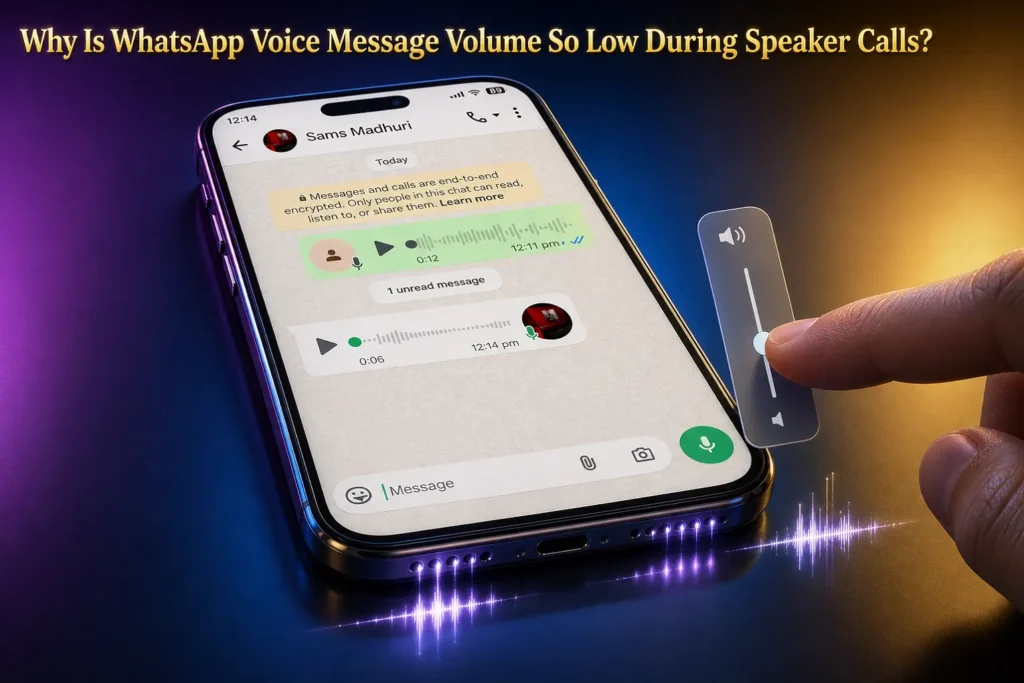
If you are talking to someone on a call and receive a WhatsApp voice message, you play it to listen, but the volume is very low, making it difficult to understand the message. Everything sounds normal during the call, but the voice message is very quiet. Even when you try to turn up the volume, the voice message still remains at the same low volume.
This can happen because your phone handles call volume and media volume separately. A WhatsApp voice message uses the media volume, so changing the call volume may not increase the sound of the message.
To fix it, play the WhatsApp voice message and press the Volume Up button while the message is playing. Keep pressing it until the voice message reaches a comfortable level. This changes the volume for the audio you are listening to rather than the volume of the call.
If your voice message just stops on its own instead of sounding low, that’s a different problem, and it needs its own fix. See why WhatsApp voice messages keep pausing automatically for the steps that solve that one.
Why Does WhatsApp Audio Drop During Calls?
Call Volume vs. Media Volume
Your phone uses different volume controls for calls and media. On Android, Call volume controls the person you are talking to, while Media volume controls audio such as videos, music, and voice messages. support.google.com.
So, if the call sounds normal but a WhatsApp voice message is too quiet, your Media volume may be low. Play the voice message and press the Volume Up button while it is playing. On Android, you can also open the volume panel and check the Media slider.
On iPhone, press the volume buttons while the WhatsApp message is playing to adjust its audio level.
Proximity Sensor and Phone Position
Your phone has a proximity sensor that detects when it is close to your face. During a call, it can turn the screen off to prevent accidental touches.
If WhatsApp audio becomes quiet when you bring the phone near your ear, move it away and play the message again. Also check the top area of the phone for anything covering the sensor, such as a case or screen protector.
If the problem changes after removing the case or screen protector, that accessory may be affecting the phone’s proximity detection.
Troubleshooting Matrix
What you notice | Check this first | What to do |
|---|---|---|
| Voice message is very quiet, but the call sounds normal | Media volume | Play the message and press Volume Up |
| Audio becomes quiet when the phone is near your ear | Proximity detection | Move the phone away and check the top sensor area |
| WhatsApp audio is quiet only when Bluetooth is connected | Audio output | Turn Bluetooth off and test the message again |
| Other apps are also quiet | Phone speaker or audio settings | Test another video or audio source |
| Only one WhatsApp voice message is quiet | The recording itself | Play another voice message and compare |
| Audio changes after removing the case | Case or sensor area | Test the phone without the case |
Step-by-Step Fixes for Low WhatsApp Audio
- Check the audio output. If Bluetooth is connected, turn it off temporarily and play the WhatsApp voice message again. If the sound returns to the phone speaker, check which connected device is being used for audio.
- Test the phone speaker with another app. Play a video or music outside WhatsApp. If that audio is also quiet, the problem may be with the phone’s speaker or audio settings rather than WhatsApp.
- Restart your phone. If the volume suddenly became low and the other checks do not help, restart the phone and test the same voice message again.
- Check for updates. Check WhatsApp and your phone for available updates. If an update is available, install it and test the voice message again.
Platform-Specific Solutions
Android
On your phone, Settings > Sounds and vibration shows separate controls for Media, Ringtone, Notification, and Alarm. If a WhatsApp voice message is quiet, play it and check the Media volume.
iPhone / iOS
Play the WhatsApp voice message and press the Volume Up button to adjust the audio level. Apple confirms that the side buttons adjust volume while you are on a call or listening to media.
Frequently Asked Questions
Why is only one WhatsApp voice message quiet?
Play a few other voice messages first. If they sound normal and only one message is quiet, the recording itself may be the reason. Ask the sender to record and send it again if needed.
Why is WhatsApp still quiet when the volume is at maximum?
On iPhone, check Settings > Sounds & Haptics > Volume Limit if that option is available. A volume limit can restrict how loud the built-in speaker can get. support.apple.com.
Why is WhatsApp loud through headphones but quiet from the phone speaker?
Play a video or song through the phone speaker. If that is also quiet, the problem is probably not limited to WhatsApp. Check the speaker opening and the phone’s sound settings.
Why does the same voice message sound normal on another phone?
The two phones may have different speaker hardware or sound settings. Compare the volume and audio behavior on both phones to find out whether the problem is specific to your device.
Can dirt around the speaker make WhatsApp sound quiet?
Yes. Dirt around the speaker opening can affect how clearly sound comes out. Check the opening and clean it gently with a soft, dry cloth. Do not push anything into the speaker.
What if WhatsApp voice messages are still quiet after these checks?
Check for available WhatsApp and phone updates. If the problem continues while other phone audio works normally, back up your WhatsApp data before considering a reinstall.

- iPhone Camera Won’t Focus Up Close? How to Fix Blurry Lens Switching - September 28, 2026
- How to Fix Google Maps Location Sharing Not Updating or Working - September 18, 2026
- Vodafone WiFi Calling Not Working? 7 Proven Fixes for UK Users - September 16, 2026
