
Published: July 3, 2026 | Last Updated: August 04, 2026
Fast charging problems have become very common these days. I also faced this issue, and at that time I didn’t know what was causing it. I like fixing mobile phone problems, so whenever someone in my family, friends, or community has an issue, I try to help them fix it.
Every new problem gives me a chance to learn something new. I share what I learn on my blog so that other people can also get help. I believe in one simple thing: If you want to help someone, then instead of giving them a fish, teach them how to catch one.
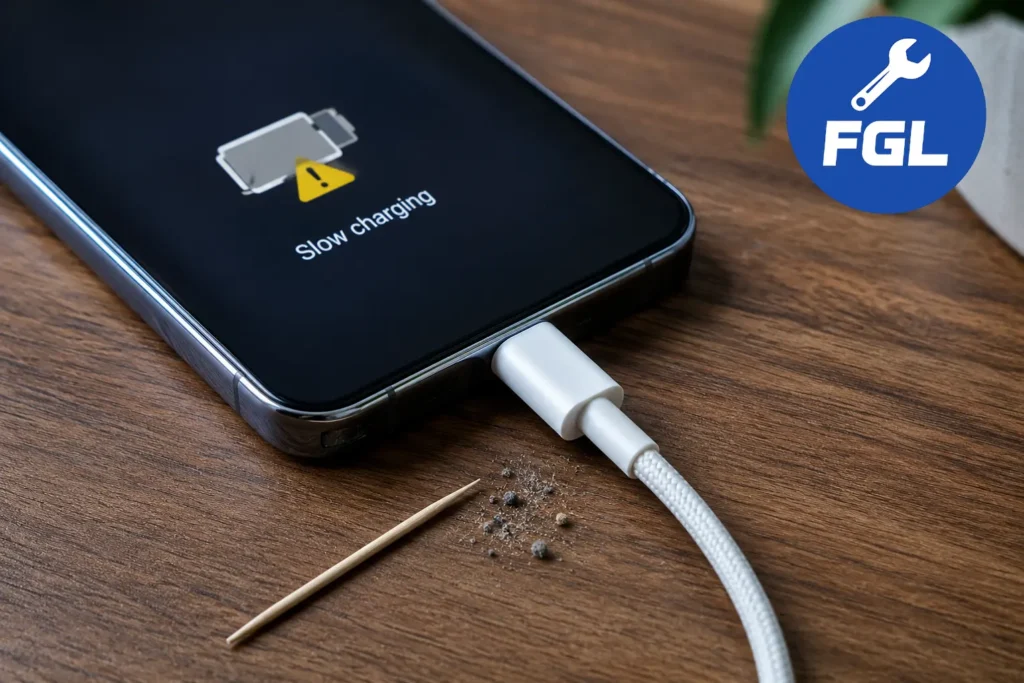
Many people face this problem even when they are using a USB-C charger and cable. There can be several reasons behind it, such as dust, low charger wattage, a missing E-Marker chip, or even a hardware problem. In most cases, especially with newer phones, dust, lint, or small fabric fibers inside the charging port are the main reason.
The charging port has CC1 and CC2 pins. If dust builds up around these pins, it can block the connection and sometimes even cause rust over time. When this happens, your phone and charger cannot communicate properly through the USB Power Delivery (USB-PD) protocol. To stay safe, the device switches to standard 5V charging, which makes charging much slower.
USB-IF guidelines require cables that support 5A charging to include an E-Marker chip so devices can identify the cable and deliver power safely.
The good news is that cleaning the charging port fixes the problem in most cases. If fast charging still does not work, check your USB-C cable and make sure your charger is providing the correct wattage.
If you are worried that fast charging may damage your battery, you can read our guide on whether fast charging affects battery health over time.
Common Reasons Why a USB-C Cable Becomes Slow
A slow charging cable is usually caused by one of these reasons:
Missing E-Marker Chip: Some USB-C cables need an E-Marker chip to support higher charging speeds. Without an E-Marker chip, the charger may reduce the power output to keep the connection safe.
Low Wattage Support: Not every USB-C cable is designed for fast charging. A cable with lower wattage support can limit the amount of power reaching your phone, which results in slower charging.
Physical Damage: Bent connectors, damaged wires, or normal wear and tear can also affect charging speed. Even small damage inside the cable can make the connection unstable.
What Is an E-Marker Chip in USB-C Cables?
USB-C cables that are designed for fast charging usually include a small microchip called an E-Marker chip. It helps the phone and charger understand how much power the cable can safely handle. It also tells the devices about supported charging modes, data transfer speeds, and other features the cable supports.
According to the USB Type-C specifications published by the USB Implementers Forum (USB-IF), cables that support higher current levels, such as 5A charging, are required to include an E-Marker chip to ensure safe and reliable power delivery. Without this communication, some devices may limit charging speeds as a precaution, even when a fast charger is being used.
Not every USB-C cable needs an E-Marker chip. It is mainly required for cables that support higher power levels, such as 5A charging. For normal phone charging, many standard cables work without it, but high-wattage devices rely on this chip for safe power delivery.
Using a certified, high-quality USB-C cable helps your phone, charger, and cable work together properly, resulting in better charging performance, improved compatibility, and enhanced safety.
How To Check the USB-C Cable Quality and Wattage
You can check your USB-C cable quality and wattage by looking at the wattage printed on the cable, checking the product specifications, or using a USB-C tester or power meter to see how much power it actually supports.
I faced this issue myself and found that a faulty USB-C cable was the reason behind slow charging.
While updating this guide, I noticed something interesting. My old USB cable was still charging the phone normally, but the File Transfer option and other USB features didn’t appear when I connected it to my PC. I switched to another USB cable, and the options appeared immediately. I captured screenshots during the test to document the difference. If your phone only charges but doesn’t show File Transfer, try a different USB cable before changing any settings.

Signs That Your USB-C Cable Is Causing Slow Charging
- Fast charging suddenly stops working.
- The cable gets unusually hot.
- Charging speed changes when the cable moves.
- The same charger works fine with another cable.
When Should You Replace a USB-C Cable?
- Visible damage on the connector.
- Frayed or bent cable.
- Charging disconnects randomly.
Conclusion
In most cases, fast charging problems are easier to fix than people think. Before replacing your phone or buying a new charger, take a few minutes to check the charging port, cable quality, and charger wattage. Small things like dust, a damaged cable, or a missing E-Marker chip can make a big difference.
The more you understand how your devices work, the easier it becomes to solve these problems on your own. That is the reason I share what I learn through this blog. If this guide helps you fix your fast charging issue, then the real goal is achieved. After all, helping someone is not just about giving them the answer, but teaching them how to find the answer themselves.
Q1: Do all USB-C cables support fast charging?
No, not all USB-C cables support fast charging. Some cables only provide standard charging speeds and may not handle higher wattage.
Q2: How do I know if my USB-C cable has an E-Marker chip?
You can check the product specifications or use a USB-C cable tester. Most high-power cables that support 5A charging include an E-Marker chip.
Q3: Can dust inside the charging port stop fast charging?
Yes, dust and lint can build up around the charging pins and affect the connection between your phone and charger. In many cases, cleaning the charging port carefully brings fast charging back to normal.
Q4: Why does my phone get warm and stop charging fast, even when I use a good cable?
That is completely normal behavior. Modern smartphones have built-in temperature sensors. If your phone gets too hot—usually above 45°C—it automatically reduces the charging speed to protect the battery from damage. This is called thermal throttling. If you notice slow charging, try removing the phone case and keeping it in a cooler place while it charges.

- Google Pixel Battery Drain and Overheating: Causes and Fixes - October 25, 2026
- Google Pixel Video Bug: Subject Missing in Saved Recordings - October 25, 2026
- iPhone 18 Pro Earpiece and Speaker Crackling or Popping: Is It Fixable? - October 25, 2026