
Updated: September 30, 2026
Fast charging does not automatically mean faster battery damage. As phone technology has evolved, charging systems have become more advanced too.
When your phone and charger are designed to work together, the phone does not simply take the charger’s maximum wattage. Its charging system adjusts the power based on factors such as battery level and temperature.
Battery wear also depends on more than charging speed. Normal lithium-ion aging, heat, and spending long periods at a high charge level can contribute to battery wear. This article explains how modern fast charging is controlled, what actually affects battery health, what happens when you use a high-wattage charger with an older phone, and which charging settings can help.
What is Fast Charging and How Does It Actually Work?
Fast charging allows a phone to charge more quickly by using a higher charging power than basic charging methods. The process involves the charger, cable, and phone working together to deliver power within the limits supported by the device.
When you connect a charger, the phone can determine what charging power is available and what it can use. Inside the phone, power-management hardware helps regulate the power supplied to the battery. Charging control also changes as the battery level and temperature change.
The wattage printed on a charger shows its maximum output capability, not the amount of power the phone constantly receives. For example, a 65W charger does not continuously send 65W to a phone that supports less. The phone uses the charging power supported by its hardware and charging system.
What Happens If You Use a Fast Charger With an Older Phone?
Using a higher-wattage charger with an older phone does not automatically make it charge faster. The charging speed depends on what the phone, charger, and cable support.
If the phone does not support the charger’s fast-charging standard, it may charge at a lower rate. Some manufacturers also use their own charging technologies, so a charger that provides fast charging for one phone may not provide the same speed on another.
A few things are worth checking:
- Check fast-charging support: Look up your phone model’s supported charging speed and standard.
- Use the right cable: Some higher-power charging setups require a cable that supports the required power.
- Check charger compatibility: Make sure the charger meets the phone manufacturer’s requirements.
- Don’t choose by wattage alone: A higher wattage on the charger does not guarantee faster charging on an older phone.
What Actually Wears Down a Phone Battery?
As you use and charge your phone over time, its battery gradually loses some of its original capacity. This means the battery cannot hold as much charge as it could when the phone was new, so the time between charges may slowly become shorter. This is a normal part of lithium-ion battery aging.
Several factors can affect how quickly battery capacity decreases, including heat and how the battery is charged.
- Heat. A phone can become warm while charging, and heat from a hot room, direct sunlight, a thick case, or heavy use while charging can make the situation worse. Prolonged exposure to high temperatures can contribute to faster battery wear.
- Long periods at a high charge level. Keeping a battery at or near 100% for long periods can contribute to battery wear over time.
Apple’s battery temperature guidance recommends an ambient temperature of 16° to 22°C (62° to 72°F) for iPhone and advises avoiding charging or using the device in temperatures above 35°C (95°F), as high temperatures can permanently reduce battery lifespan.
Phones from other brands use different hardware and charging systems, but avoiding excessive heat is a useful general practice. If your phone becomes unusually hot while charging, move it to a cooler place and let it cool down.
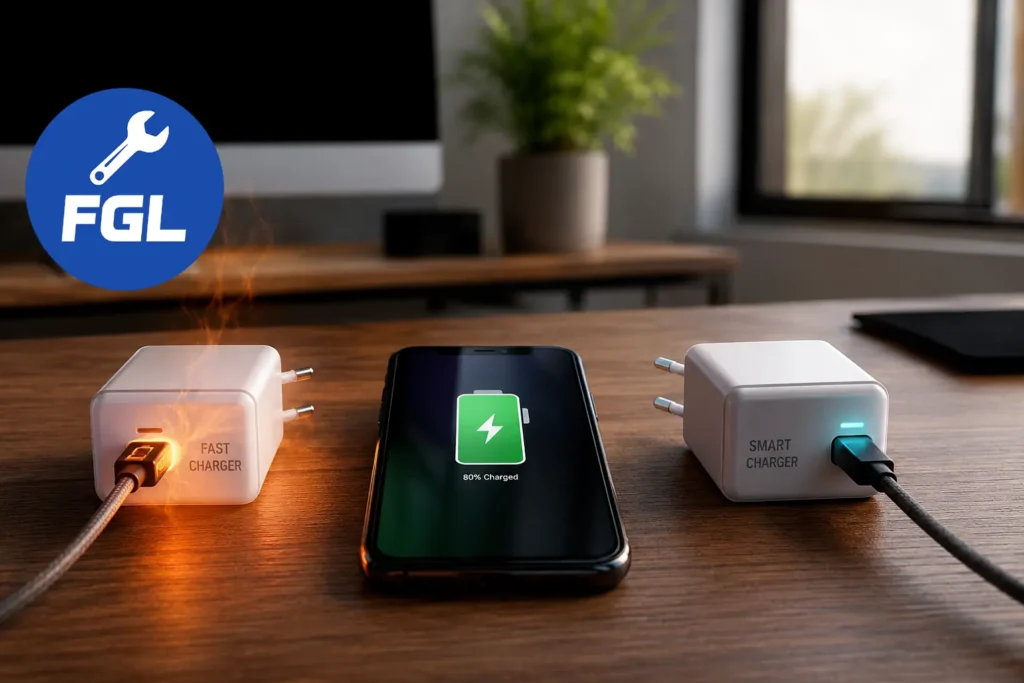
Fast Charging vs Smart Charging: What’s the Difference?
Fast charging and smart charging serve different purposes.
Fast charging can charge your phone more quickly, while smart charging may take a little longer because it manages the charging process differently.
Smart Charging Options by Phone
| Phone | Feature | Where to find it |
|---|---|---|
| iPhone 15 and later | Charge Limit and Optimized Battery Charging | Settings > Battery > Charging |
| iPhone 14 and earlier | Optimized Battery Charging | Settings > Battery > Battery Health & Charging |
| Google Pixel | Adaptive Charging, Limit to 80% | Settings > Battery > Battery health > Charging optimization |
| Samsung Galaxy (One UI 6.1 or later) | Battery protection: Basic, Adaptive, Maximum | Settings > Battery > Battery protection |
Menu names can change with software updates, and some options may vary by phone model.
- Apple: Optimized Battery Charging can delay charging past 80% in certain situations. On iPhone 15 and later, you can set a charge limit between 80% and 100%.
- Google Pixel: Adaptive Charging can delay the final part of charging so the phone reaches 100% closer to when you usually unplug it. Pixel 6a and later also support a Limit to 80% option.
- Samsung Galaxy: Battery protection includes Basic, Adaptive, and Maximum modes on supported models. Maximum stops charging at 80%, while the available options can vary by model and software version.
Some of these features can mean that your phone does not reach 100% immediately. If you need a full charge, supported phones provide an option to charge to 100%.
Simple Habits for Healthier Charging
The way you charge your phone can affect the conditions your battery is exposed to over time. These simple habits can help:
- Charge your phone in a cool, ventilated place, away from direct sunlight, pillows, and blankets.
- If your phone feels hot while charging, remove a thick case to help it cool down.
- Avoid gaming or running other demanding apps while charging if they make your phone noticeably hot.
- Use a compatible charger and USB-C cable that meet your phone’s requirements. If a cable or charger is visibly damaged, stops charging properly, or becomes unusually slow, replace it.
- If you often charge overnight, consider using your phone’s charging optimization feature from the table above.

- Fix Google Pixel Screen Flickering & Green Line Issue (Step-by-Step Guide) - October 27, 2026
- Google Pixel Battery Drain and Overheating: Causes and Fixes - October 25, 2026
- Google Pixel Video Bug: Subject Missing in Saved Recordings - October 25, 2026